Android install file
You can install Voltbu straight on your phone, without going through Google Play.
What is this page for?
- Normally you download Voltbu from Google Play. This page is for people who can't.
- If you are outside Türkiye, Voltbu may not show up on Google Play. You can download and install it here.
- If the newest version is not on Google Play yet, you can get it here right away.
- If you can download from Google Play, you don't need this page; Play is easier.
Why is it so big?
Previous versions
If the new version gives you trouble, you can install an earlier one.
How do I install it?
- If your phone already has Voltbu from Google Play, or the old file that shows "Get this app from Play", delete it first. Otherwise the new file will not install.
- Tap the button above so the file downloads to your phone.
- When it finishes, tap the notification on screen or the file in your Downloads folder.
- If your phone asks for permission, tap "Settings", turn on "Allow from this source" and go back.
- Tap Install.
- Open Voltbu and sign in to your account.
Using Voltbu in your car with Android Auto
Android Auto doesn't show apps installed outside Google Play on the car screen until you allow it. You only turn this setting on once on your phone; you won't need it again for later drives or new Voltbu versions.
Open Android Auto settings
Open Settings on your phone, type "Android Auto" in the search box and tap the result.
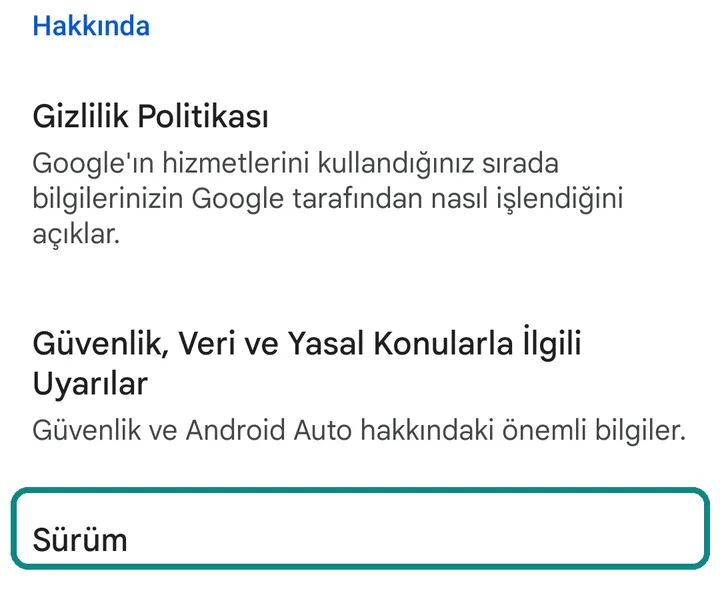
Tap the "Version" line 10 times
Scroll to the bottom. Tap "Version" 10 times in a row.
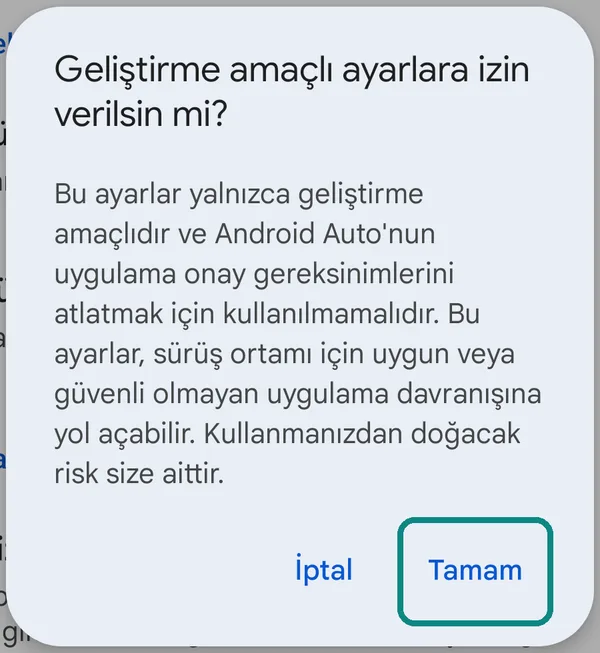
Answer "OK"
A question about allowing development settings appears. Tap "OK".
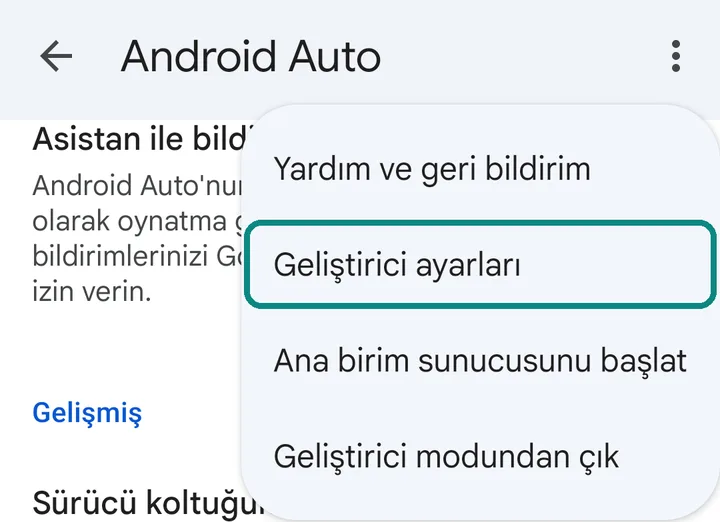
Open "Developer settings"
Tap the three dots in the top right corner and choose "Developer settings".
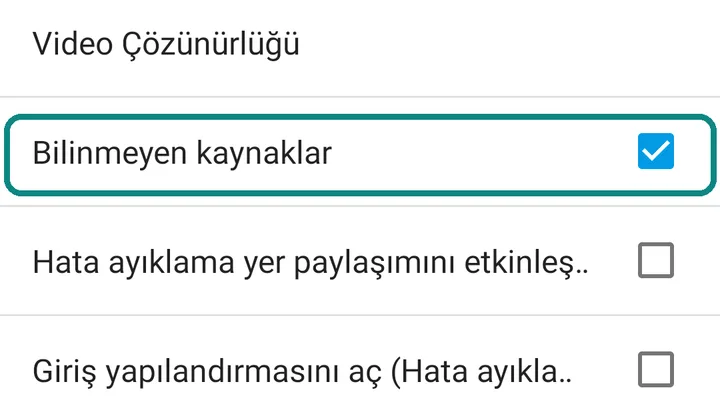
Tick "Unknown sources"
Scroll down the list and tick the box on the "Unknown sources" line.
Reconnect your phone to the car
Unplug your phone from the car and connect it again. Voltbu now appears among the apps on the car screen.
Still not showing?
- Unplug your phone from the car and connect it again.
- Go back to "Developer settings" in Android Auto settings and check that "Unknown sources" is ticked.
- Voltbu may be hidden in the car screen's app list. In Android Auto settings open "Customize launcher"; if Voltbu is under hidden apps, tick the box next to it.
- If your car has Google built in and works without a phone, this file can't be installed on the car; you use Voltbu from your phone with Android Auto.
- If it still doesn't show, write to [email protected] with your phone and car model.
Updates
When a new version comes out, download and install it from this page; you do not need to delete the old one, and your account and saved items stay. Voltbu installed from this file does not update from Google Play. To switch to Play, delete this Voltbu, install it from Play and sign in again.